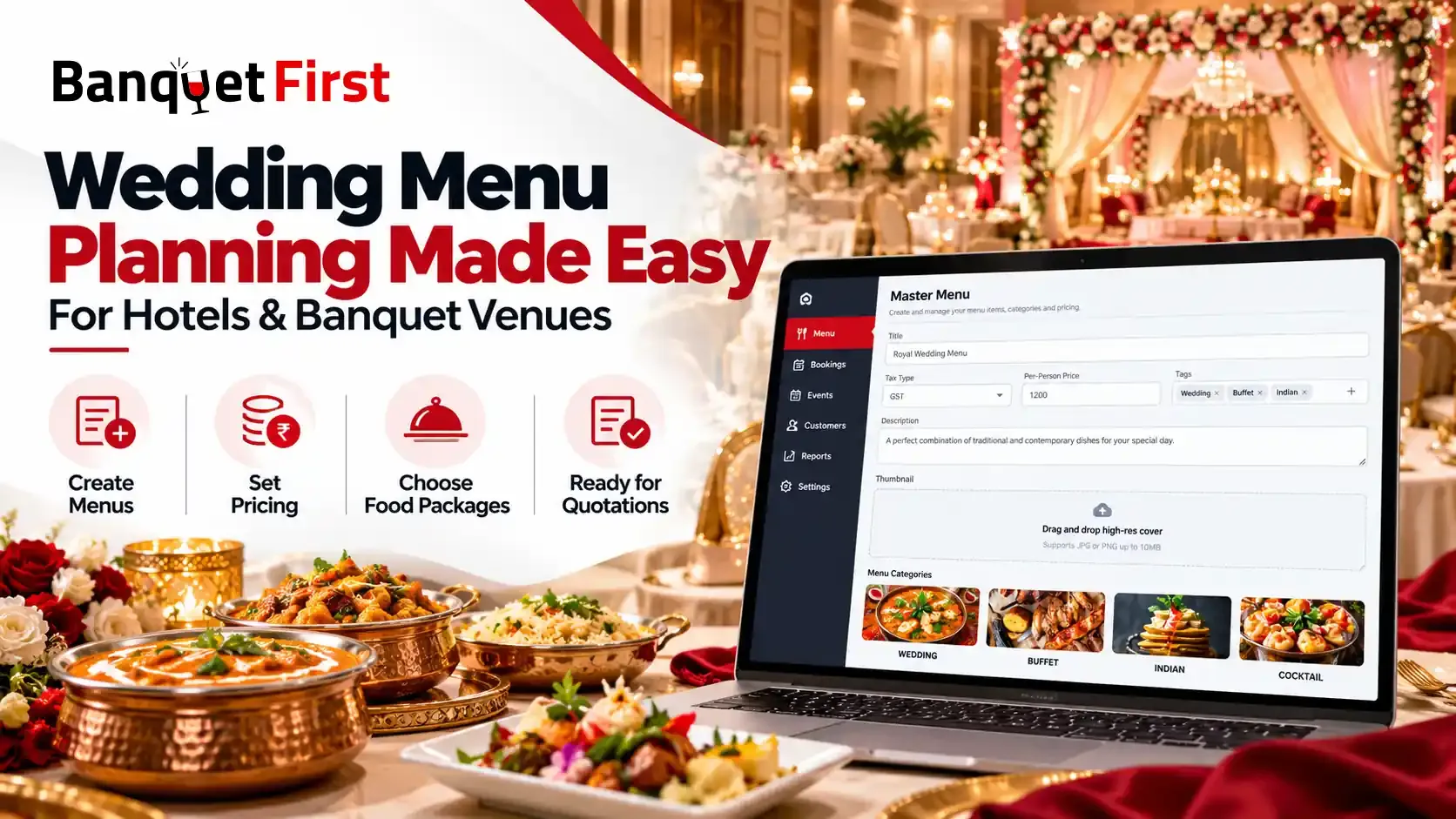
Wedding menu planning for banquet halls becomes easy when menus, pricing and approvals live in one system. BanquetFirst is a complete banquet software that lets venues build master menus with per-person pricing, share menu options on WhatsApp for online approval, and connect every menu to the lead, quotation and booking.
Why Wedding Menu Planning for Banquet Halls Needs a Better System
For Indian weddings, the menu is one of the biggest decisions a family makes. It shapes the per-plate cost, the guest experience and often the final booking itself. Families compare menus across venues, ask for changes, check dietary needs and negotiate prices before they confirm.
Yet in most venues, wedding menu planning still runs on printed cards, old PDFs, phone calls and long WhatsApp chats. The sales team spends hours on revisions, the kitchen receives unclear instructions, and families wait days for a final answer. None of this helps you win the booking.
BanquetFirst approaches this differently. It is not a standalone menu tool. It is a complete banquet management platform for hotels, banquet halls, resorts and event venues, and menu planning is built right into it. So menus, quotations and bookings stay connected, instead of living in separate files.
Why Do Wedding Menus Take So Long to Finalise?
Menu planning looks simple from the outside. Inside a busy venue, it is one of the most time-consuming parts of every booking. Here are the real problems teams face, and how BanquetFirst handles each one.
Menus Stuck in PDFs and Printed Cards
The problem: Many venues still share menus as PDFs or photos of printed cards. Prices change, dishes get added or removed, and nobody is sure which version is the latest. Families end up choosing from an outdated menu, and the team has to correct it later.
How BanquetFirst handles it: BanquetFirst lets you create a master menu that acts as your blueprint. Every event that uses this menu starts from the same, up-to-date version, so your team and your guests always see the right dishes and prices.
Endless Back-and-Forth on WhatsApp
The problem: A family asks for the menu, then asks to swap two starters, then wants to add a live counter, then changes the dessert. Each change travels through separate messages and calls. Important changes get lost, and sometimes the wrong menu reaches the kitchen.
How BanquetFirst handles it: With BanquetFirst, menu options go to the family as part of a digital quotation on WhatsApp. The family can review the options, pick their menu and approve it online. Every choice is recorded in one place, instead of being scattered across chats.
Per-Plate Pricing and Tax Errors
The problem: Calculating per-plate costs, adding GST and adjusting for guest counts by hand leads to mistakes. A small error in a quote for 500 guests can mean a big loss or an awkward conversation with the family.
How BanquetFirst handles it: In BanquetFirst, each master menu has its own tax type, such as GST, and a per-person price. This price acts as the default baseline for all events using that menu, so your pricing starts from correct numbers every time.
Different Functions Need Different Menus
The problem: An Indian wedding usually has several functions. A mehendi may need a light, casual menu, while the wedding dinner needs an elaborate spread. Managing all these menus for one family, often across different dates, is confusing.
How BanquetFirst handles it: You can create separate master menus for different types of events. BanquetFirst's multi-event and merged quotations, along with food packages, add-on menus and guest menu selection, let the family see one clear package covering every function.
Dietary Needs Get Missed
The problem: Many families need Jain, vegan, no onion-garlic or other special options. When these requests live only in someone's memory or a chat message, they can be missed on the day.
How BanquetFirst handles it: Tags in BanquetFirst let your planning team label menus and filter through seasonal and dietary archives quickly. Guest preferences can also be stored in each guest's Guest 360° profile, so your team remembers them for future events.
How to Build a Master Menu in BanquetFirst
A master menu is the foundation of wedding menu planning in BanquetFirst. You set it up once, and every event using that menu builds on it.
How Do You Create a Wedding Menu With Per-Person Pricing?
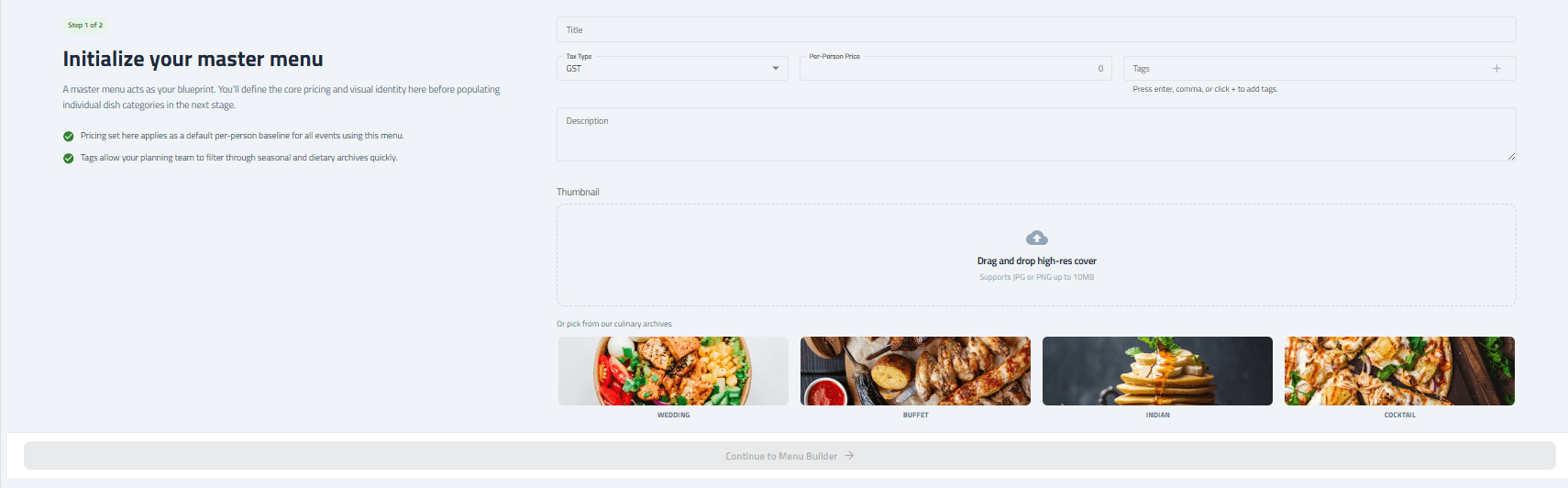
Creating a menu in BanquetFirst takes two steps. In step one, you initialise your master menu, which is the foundation every event using this menu will build on. In step two, you add your dishes in the menu builder.
Add the Menu Basics
Give your menu a clear title, such as "Royal Wedding Dinner" or "Classic Sangeet Buffet". Then choose the tax type, such as GST, and enter the per-person price. This price becomes the default per-person baseline for all events that use this menu.
Add Tags and a Description
Add tags to label the menu by season, cuisine or dietary preference. You can press enter, use a comma or click the plus icon to add each tag. Then write a short description that explains what makes the menu special.
Choose a Thumbnail
A good cover image makes your menu look professional when families see it. You can upload your own high-resolution image in JPG or PNG format, up to 10 MB. If you do not have a photo ready, you can pick one from BanquetFirst's built-in image library, which includes Wedding, Buffet, Indian and Cocktail styles.
Once the basics are ready, you continue to the menu builder.
Organise Dishes With Food Categories
In the menu builder, you organise your dishes into food categories. This keeps even a large wedding menu easy to read and easy to update.
Add Categories and Sub-Categories
For each category, you add a category name, such as Starters, Main Course, Desserts or a cuisine like Italian. You can then add sub-categories inside it, for example Veg Starters and Non-Veg Starters, and write a short description for the category.
Pick a Category Icon
Each category can have an icon, with options for General, Healthy, Spicy and Beverage. These small visual cues help families scan the menu quickly and spot what they are looking for. When everything is ready, you save all categories in one click.
Expert insight: build menus in tiers, not one long list. Families find it easier to choose when they see two or three clear packages at different per-person prices, rather than one huge menu with endless swaps. With master menus, you can set up a standard, premium and luxury version once and reuse them for every enquiry. This also makes upselling natural, because the family can see exactly what the next tier adds.
From Menu to Booking: Online Menu Selection for Weddings
Online menu selection for weddings is where better menu planning turns into faster bookings. Instead of inviting the family for another visit or sending another PDF, your team shares the menu digitally and lets the family decide at their own pace.
How Can Families Select Their Wedding Menu Online?
In BanquetFirst, your team builds a quotation that includes the menu, such as a food package, add-on menus or a guest menu selection. The quotation goes straight to the family's WhatsApp. The family can review the options, pick their menu and approve the quote online.
This keeps the whole decision in one flow. The approved quotation stays linked to the family's lead and booking, so there is no confusion later between what was discussed and what was confirmed.
Expert insight: menu approval is often the last step before the advance. For many families, the booking feels final only once the food is decided. When menu selection drags on for days, the advance payment is delayed too. A quick, online approval helps move the booking to confirmation sooner, and BanquetFirst's WhatsApp payment reminders can follow right after.
Manual Menu Planning vs BanquetFirst
Here is how the two approaches compare:
| Task | Manual Process (PDFs, Calls, WhatsApp Chats) | With BanquetFirst |
|---|---|---|
| Creating menus | Rebuilt or edited for every event | Master menus created once and reused |
| Pricing | Calculated by hand | Per-person price with tax set on the menu |
| Sharing with families | PDFs and photos in chats | Digital quotation on WhatsApp |
| Menu changes | Lost across messages | Recorded in one place |
| Approval | Verbal or scattered messages | Family picks and approves online |
| Dietary needs | Remembered by staff | Tags and Guest 360° preferences |
You can compare BanquetFirst plans to see which one suits the size of your venue.
More Than Menus: BanquetFirst Handles the Whole Booking
Menu planning is only one part of running a banquet business. What makes BanquetFirst different is that menus do not sit on their own. They connect with every other step of the booking, from the first enquiry to the final report.
Menus Connected to Leads and Quotations
Every wedding enquiry in BanquetFirst starts as a lead in a unified inbox, with its status, owner and follow-up date. When the family is ready for a quote, your team creates a single, multi-event or merged quotation with the right food packages and menu options, and sends it on WhatsApp. Once the family approves, the booking moves to the live venue calendar, which prevents double bookings across your halls.
Upsells, Payments and Reports
After the menu is approved, BanquetFirst keeps working for you. Its AI Upsell Engine can create upsell campaigns for premium menus, decor upgrades, additional rooms and extra services. Automated WhatsApp payment reminders help collect advances on time. Daily reports on WhatsApp and email then show revenue, lead conversion, event revenue and lost opportunities, so you know exactly how your menus and packages are performing.
Here is everything venues get with BanquetFirst:
- Banquet CRM: every enquiry from multiple sources in one unified lead inbox
- 24×7 AI agent: instant replies to guest questions, even at night
- Menu planning: master menus, food categories, per-person pricing and tags
- Six quotation formats: single event, multi-event, merged, food packages, add-on menus and guest menu selection
- WhatsApp automation: official Meta WhatsApp partner, with follow-ups, campaigns and payment reminders
- Bookings and calendar: venue holds, date blocking and double-booking prevention
- Guest 360° and reports: guest preferences, anniversaries and daily performance reports
- Easy start: a 14-day free trial with no credit card, no setup fee and about 10 minutes of setup
Conclusion
The wedding menu is one of the most important decisions a family makes, and it should not get lost in PDFs, phone calls and endless chats. Wedding menu planning becomes faster and far more accurate when menus are built once, priced correctly with tax and shared for quick online approval. BanquetFirst does all of this inside a complete banquet platform, where every approved quotation flows straight into the booking, payment and reports. The result is fewer errors, happier families and faster confirmations. To see how it works for your venue, start free trial with BanquetFirst today.
Frequently Asked Questions
How can banquet halls make wedding menu planning easier? Banquet halls can use software to create reusable master menus with per-person pricing, share options with families on WhatsApp and let them approve online. BanquetFirst does this inside a complete banquet platform linked to leads and bookings.
How do you create a wedding menu with per-person pricing? In BanquetFirst, you start by creating a master menu with a title, tax type such as GST, per-person price, tags and a cover image. You then add food categories and sub-categories in the menu builder.
Can wedding guests select their menu online? Yes. With BanquetFirst, venues send menu options as part of a quotation on WhatsApp. Families can review the options, pick their menu and approve it online, without repeated calls or visits to the venue.
Can I create different menus for each wedding function? Yes. You can create separate master menus for functions like the mehendi, sangeet, wedding and reception. BanquetFirst's multi-event and merged quotations then let you present every function to the family in one clear package.
Is BanquetFirst only a menu planning tool? No. BanquetFirst is a complete banquet management software. Along with menu planning, it includes a banquet CRM, WhatsApp automation, a 24×7 AI agent, bookings, quotations, AI upsells, payment reminders and daily reports.